Comparing Directories
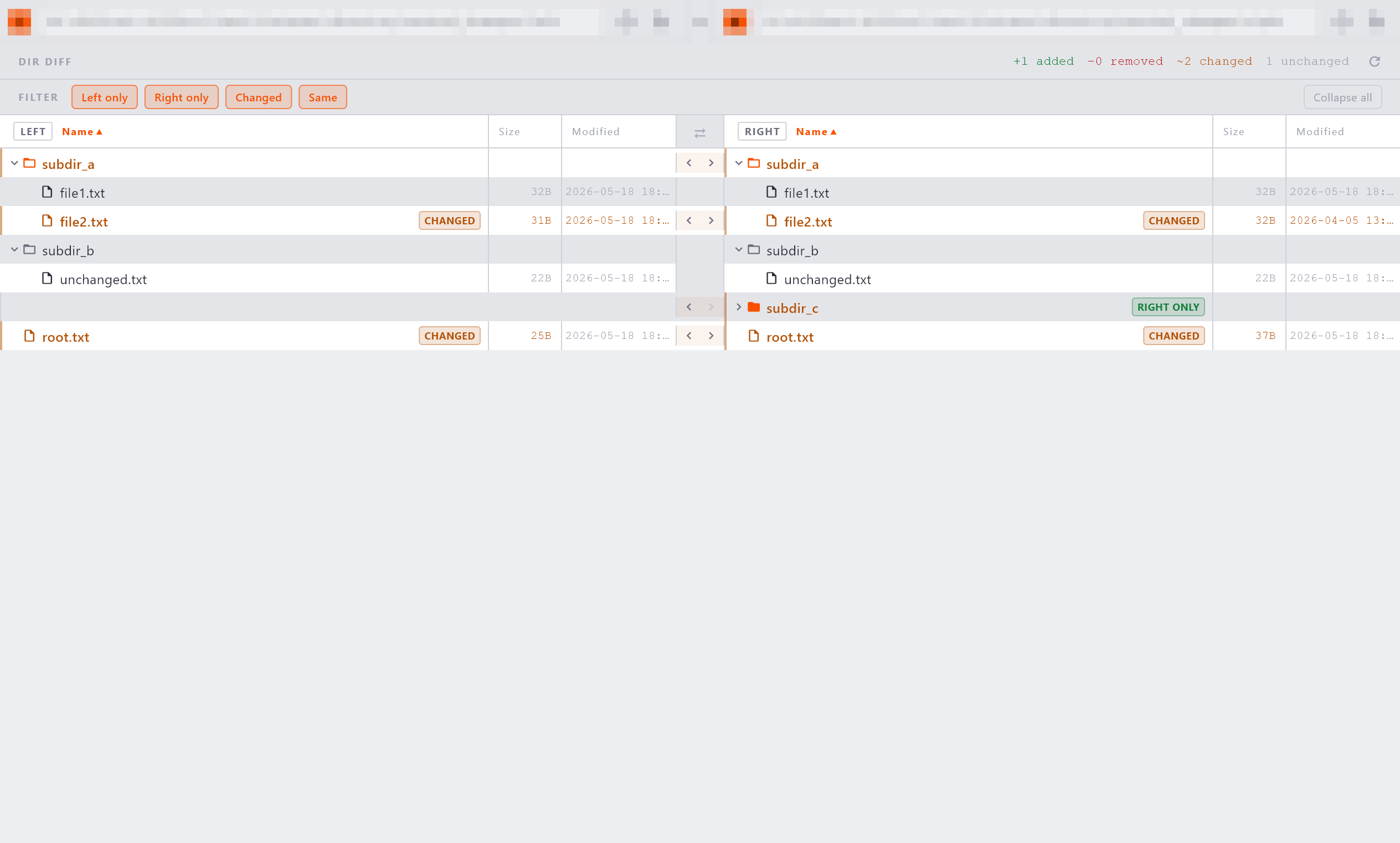
The directory comparison view shows two folder trees side by side, aligned by path. It lets you quickly identify which files differ, which exist only on one side, and which are identical.
Note
Subdirectory badges aggregate their children's status - a directory marked Changed means at least one file inside differs.
Opening a Directory Comparison
There are several ways to start a directory comparison:
- Drag and drop: drag two folders from your OS file manager and drop them onto the welcome screen.
- New tab: click Folders in the title bar and select both folders to compare.
- Path bars: in an existing directory comparison tab, type or paste new folder paths into either path bar and press Enter.
The Tree View
The tree view lists the contents of both directories as aligned rows:
- Directories appear first, sorted alphabetically. Files follow, also sorted alphabetically.
- Both sides are shown together in a single merged view so you can see what exists on each side at a glance.
- Click the arrow icon next to a directory name to expand or collapse it. All nodes start expanded.
Status Badges
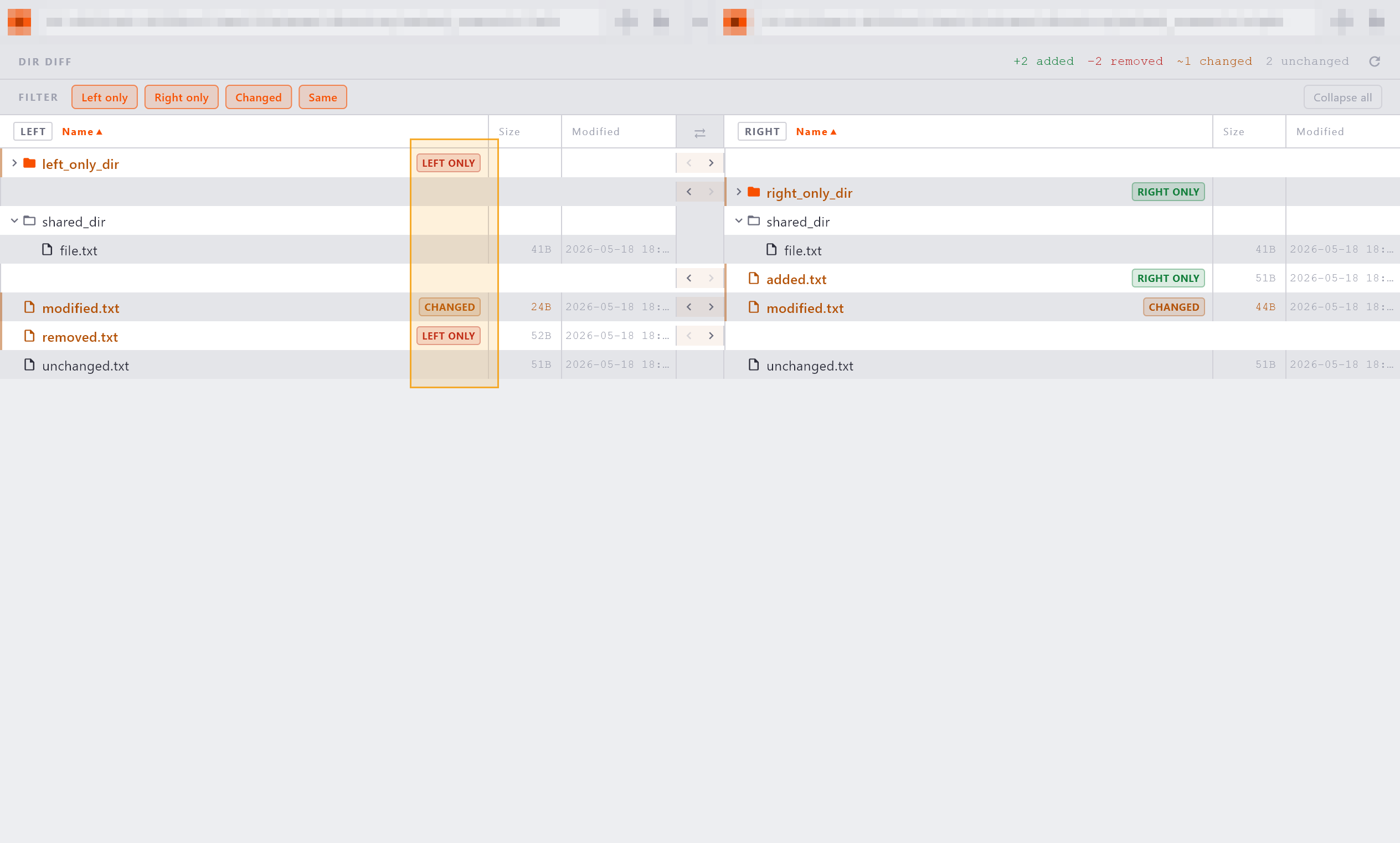
Each row in the tree shows a badge indicating the relationship between the two sides:
| Badge | Meaning |
|---|---|
| Changed | The file or directory exists on both sides but the contents differ. |
| Added | The file or directory exists on one side only; the badge appears on that side. |
| (no badge) | The entry is identical on both sides. |
Stats Bar
The stats bar at the top of the comparison shows a summary:
Use it to gauge the scope of differences before exploring the tree.
Opening a File Comparison
Click any file row in the tree. Diffract opens the file in a new file comparison tab with both paths pre-populated. The directory comparison tab remains open and unchanged.
Column Headers
The columns Name, Size, and Modified are always visible. Click a column header to sort by that column. The active sort column displays an orange chevron indicating the sort direction.
- Default sort: Name, ascending.
- Within each sort, directories always sort before files at every level of the tree.